What is a Google Maps API Key?
The Google Maps API Key is a key provided by Google to view their Google Map on your website. Your personal API Key comes with a free quota on how many times a user queries the address on your website’s map. If the query usage exceeds your quota, your Google account will be automatically billed.
How do I get a Google Maps API Key?
Luckily, getting an API Key only takes a few minutes and is not difficult. All you need is a Google Account with the billing set-up. Or you can use an existing billing account.
Pricing and Setup
https://mapsplatform.google.com/pricing/
STEP 1 - CREATE YOUR PROJECT
- Start by going to Google Maps Platform
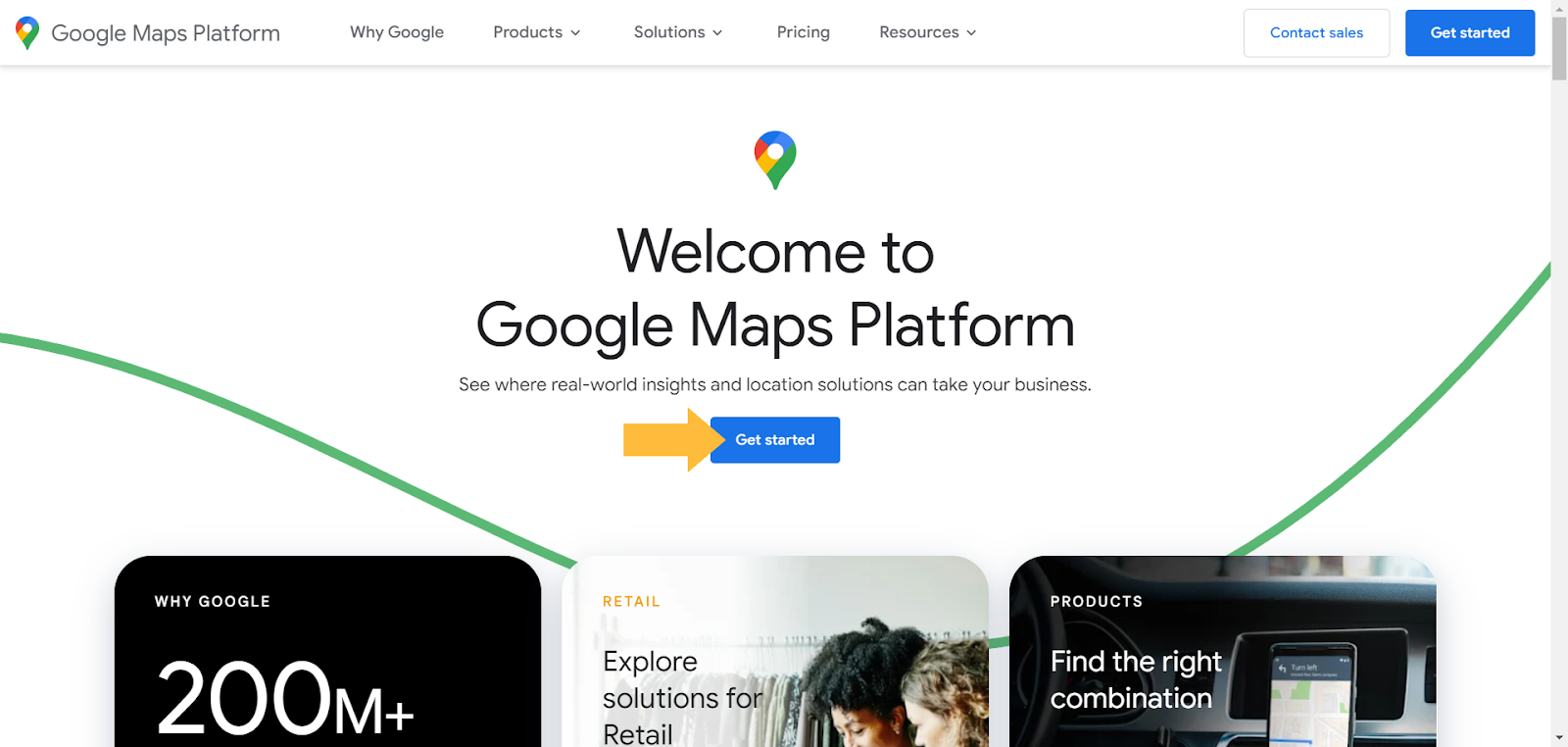
- Press the 'Get Started' button. At this stage, you will be asked to create a Google account, Switch Account if you're already logged in, or login to your existing one. Accept the Terms of Service and Continue.
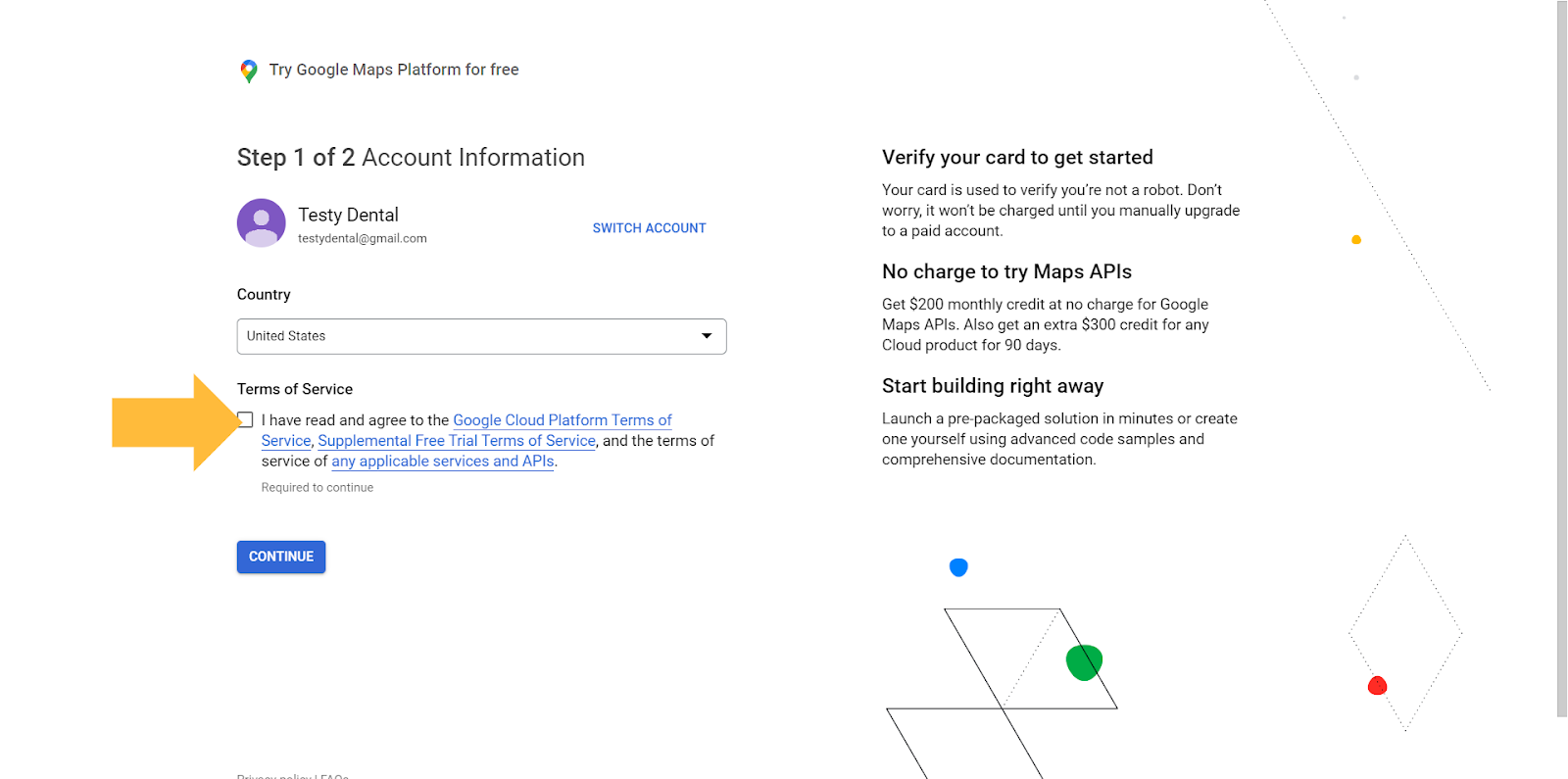
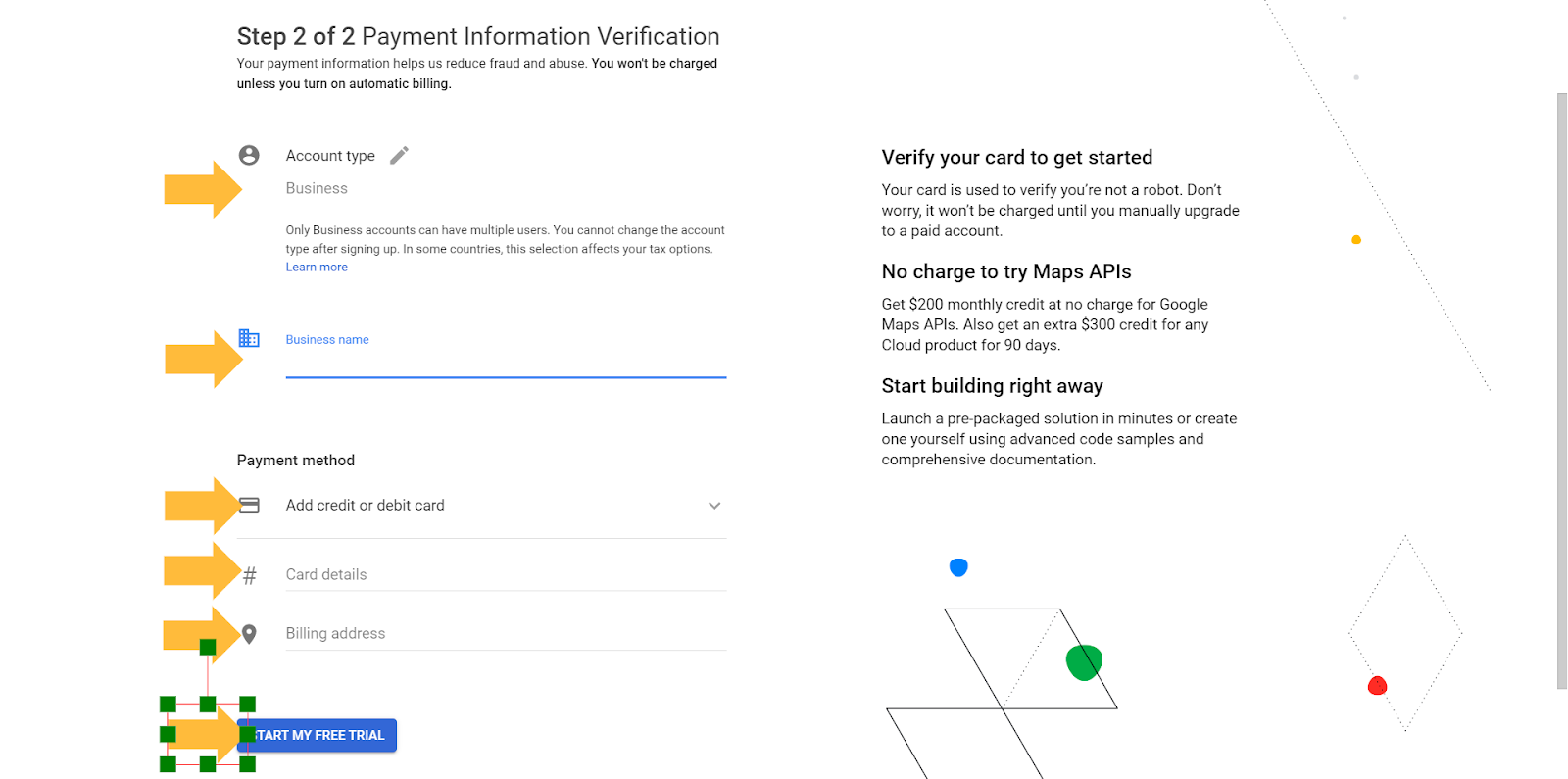
- After clicking continue you will enter your payment details shown below and click “Start My Free Trial”.
STEP 2 - CREATE YOUR PROJECT
- At this stage you’ll be on your Google Cloud Dashboard. Click “Select a Project”
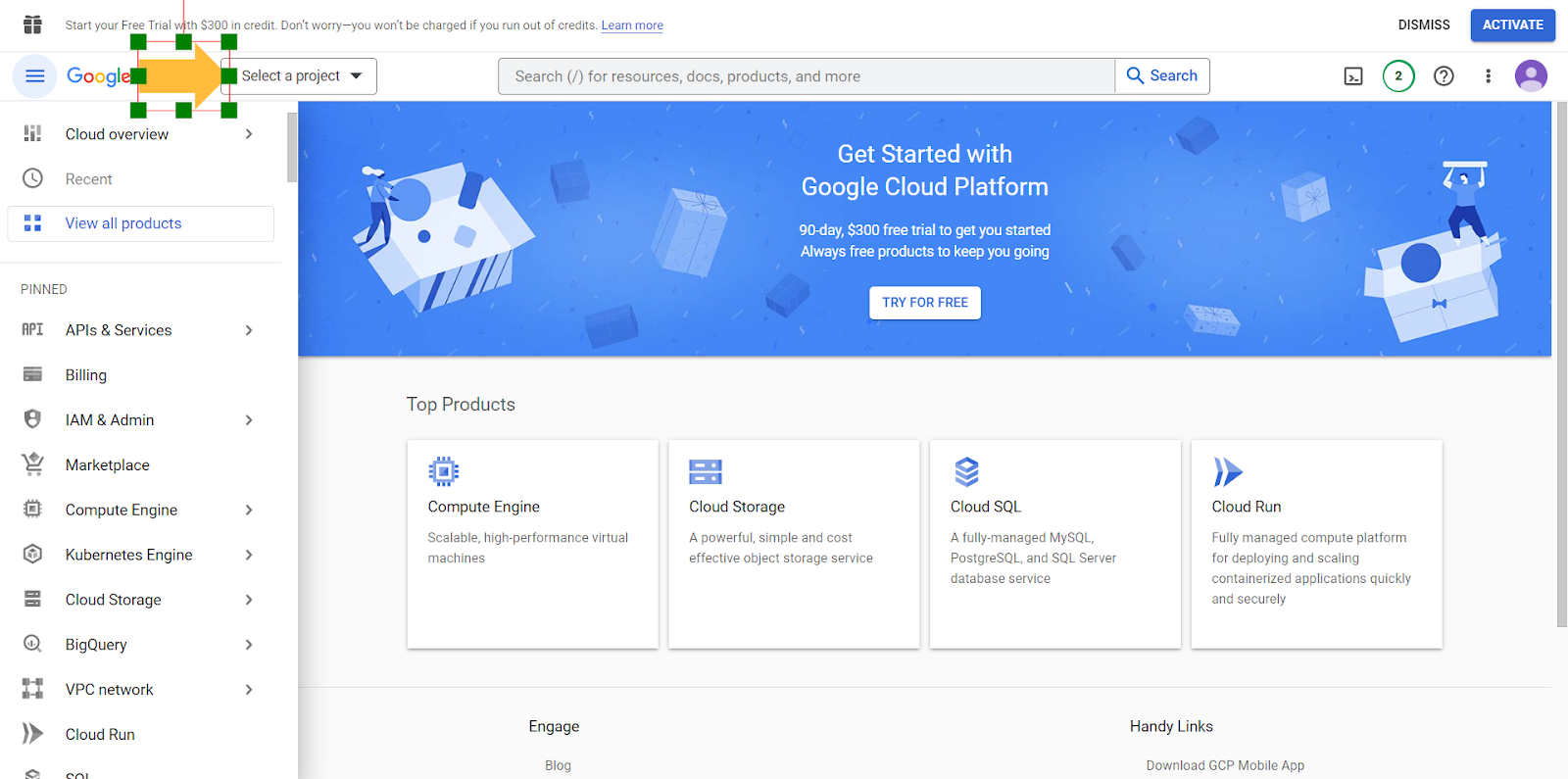
- Select “Start New Project”, Fill in Details, and click Create
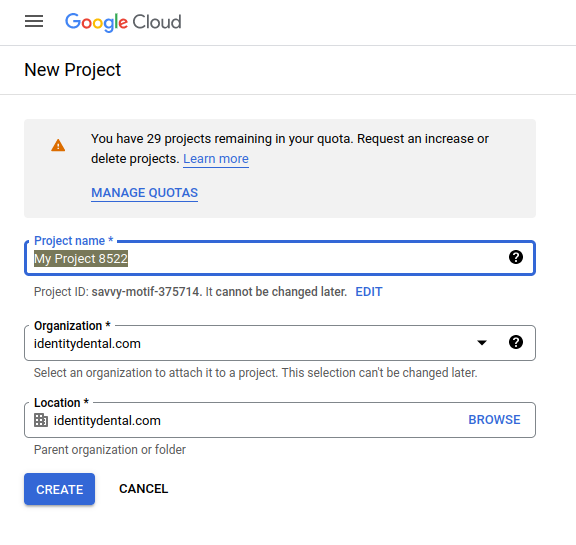
-
Select your newly Created Project
-
Click API & Services
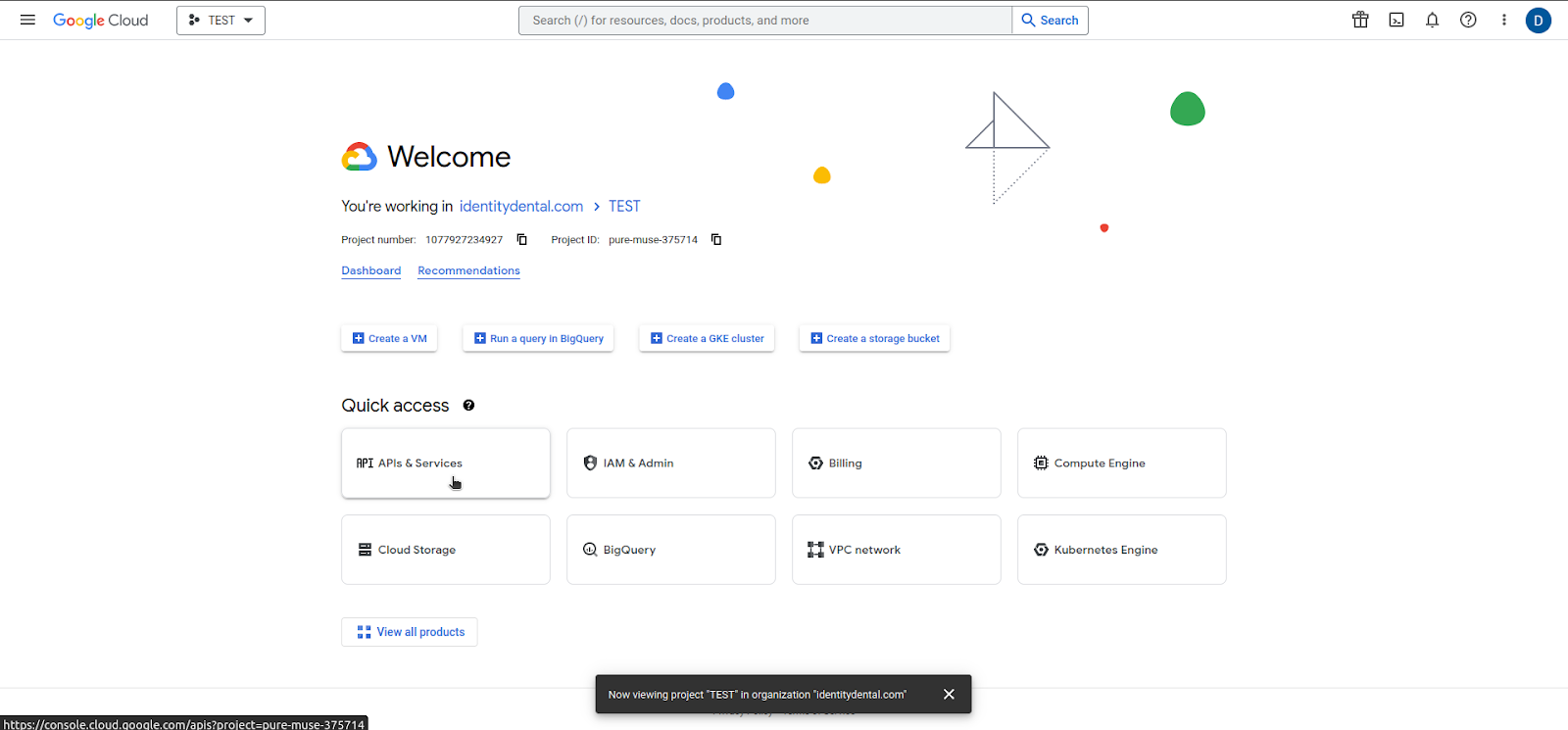
- Enable API & Services
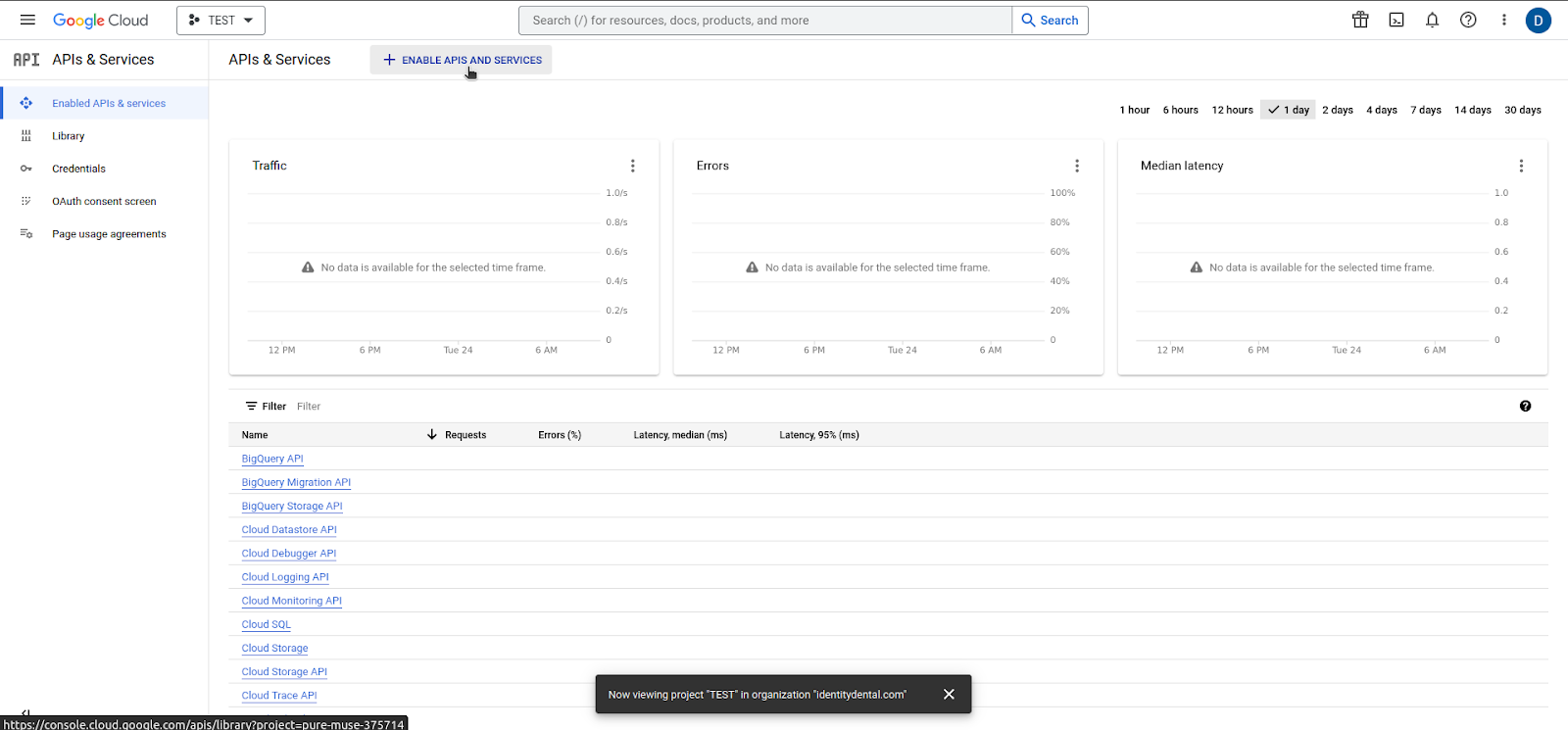
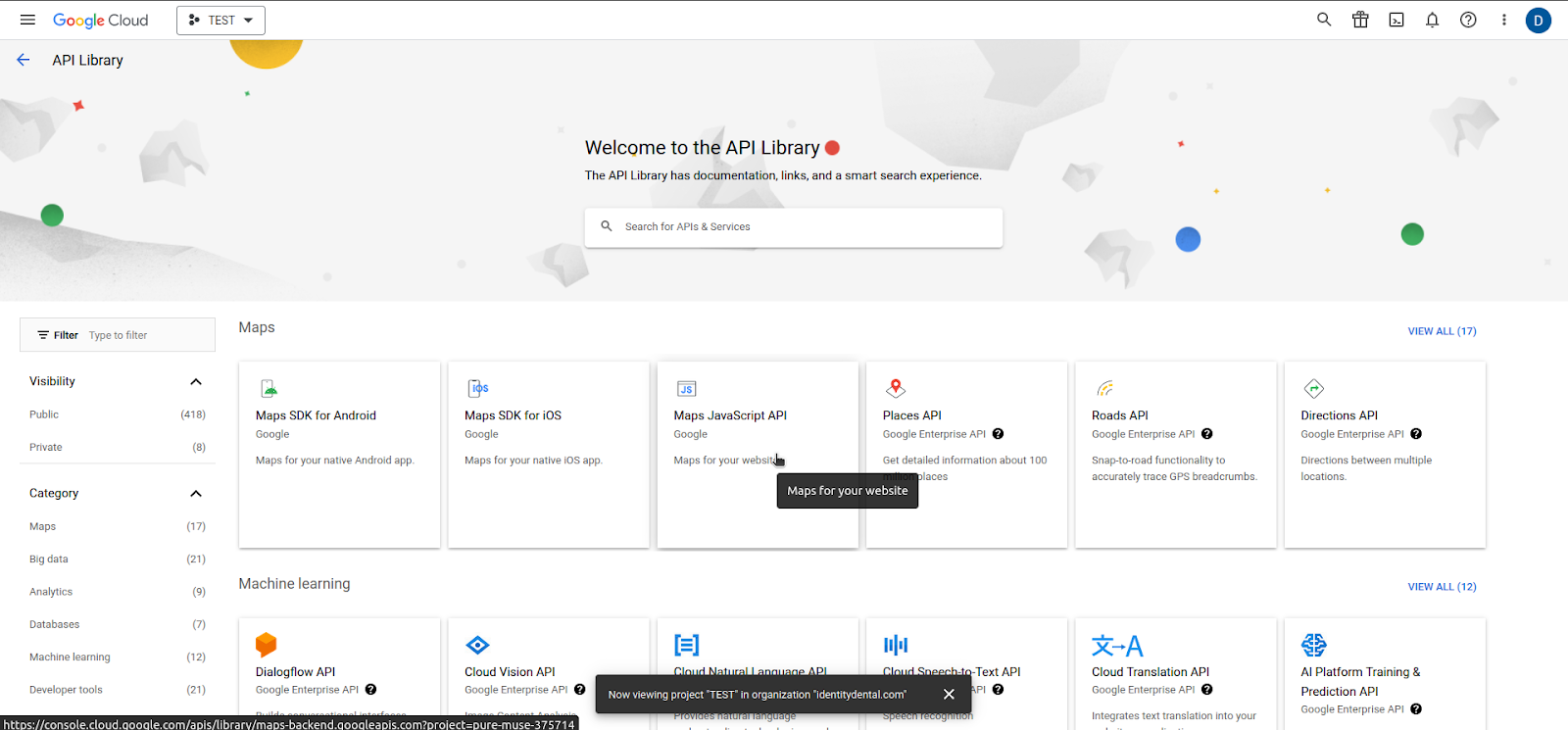
- Select Maps Javascript API
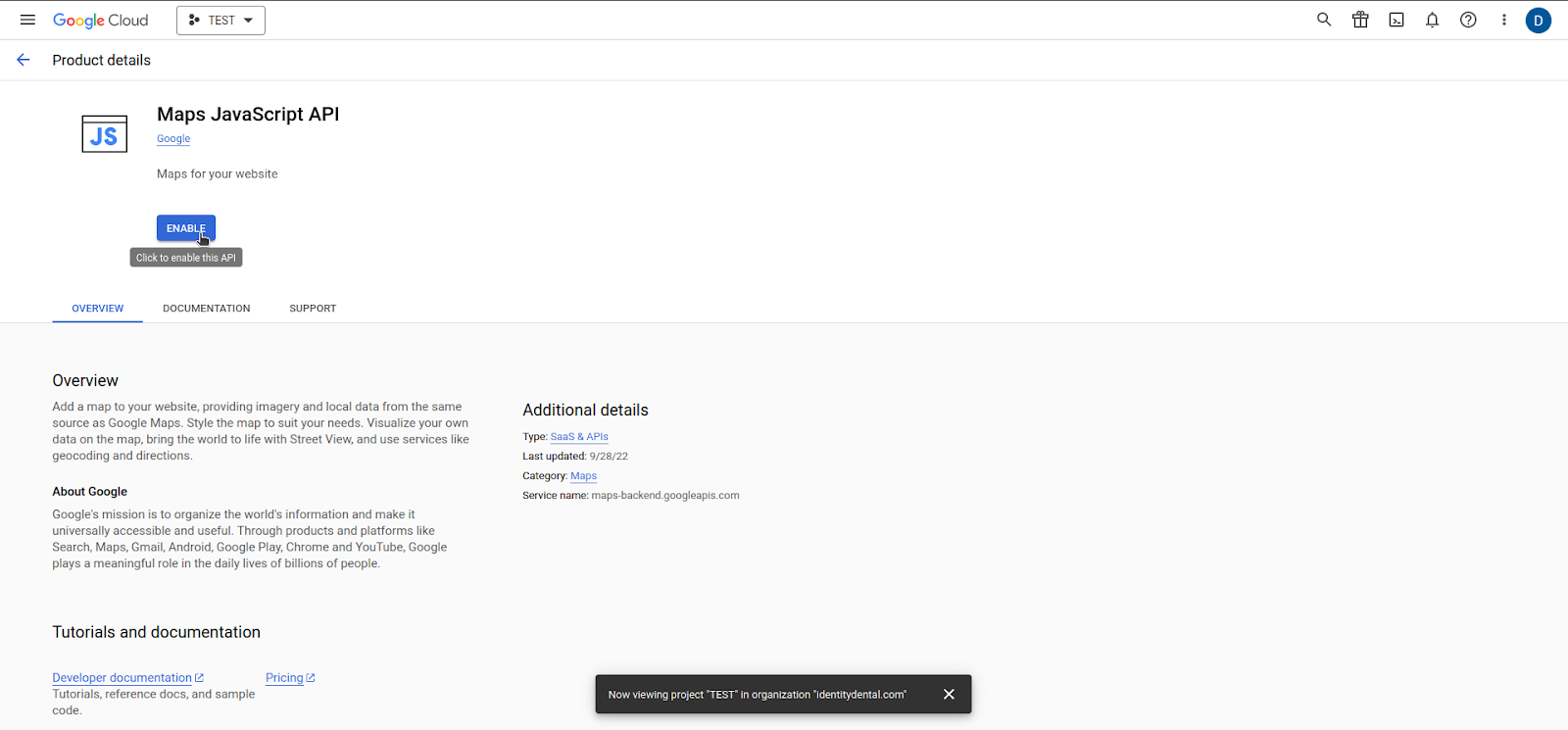
- Enable API
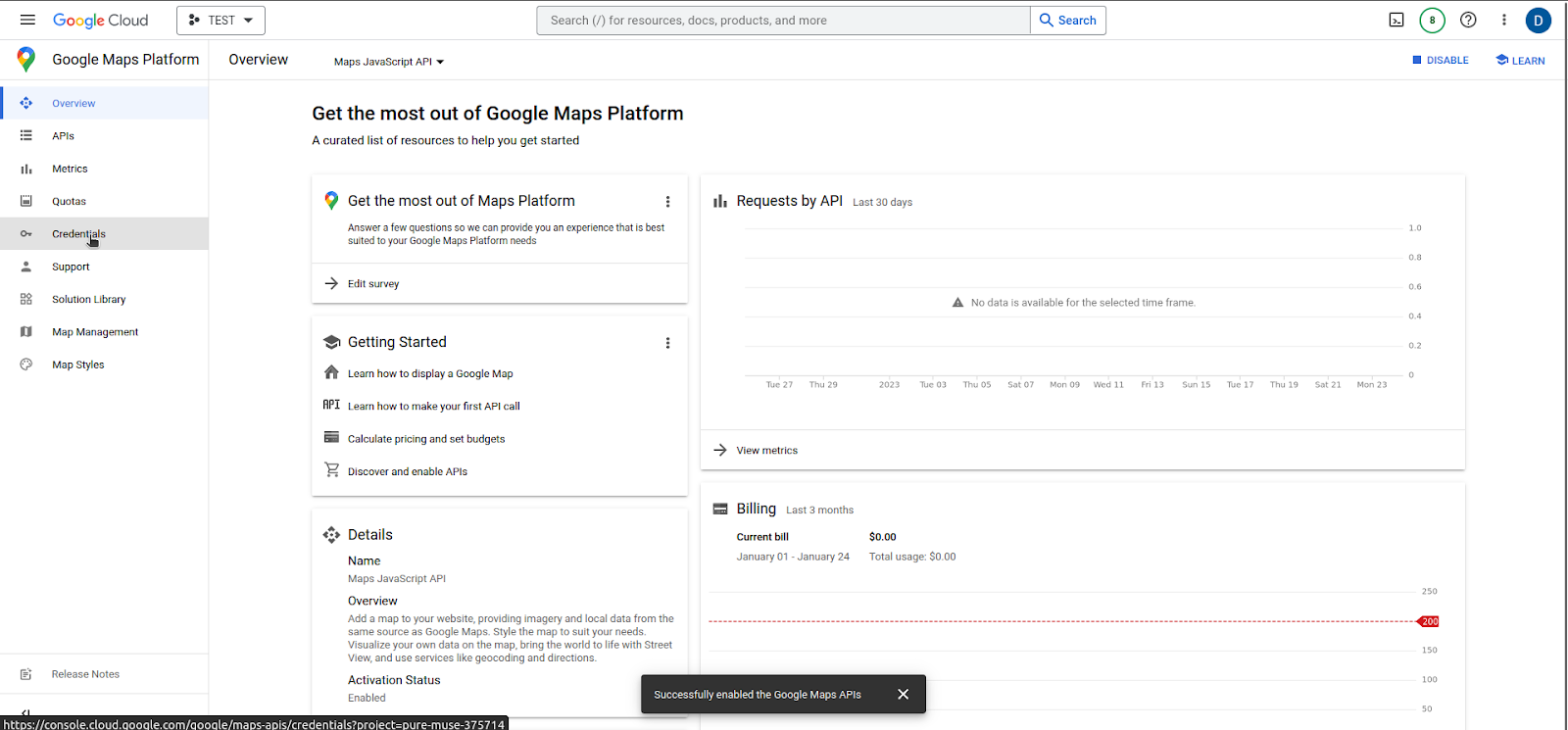
- Click on Credentials
-
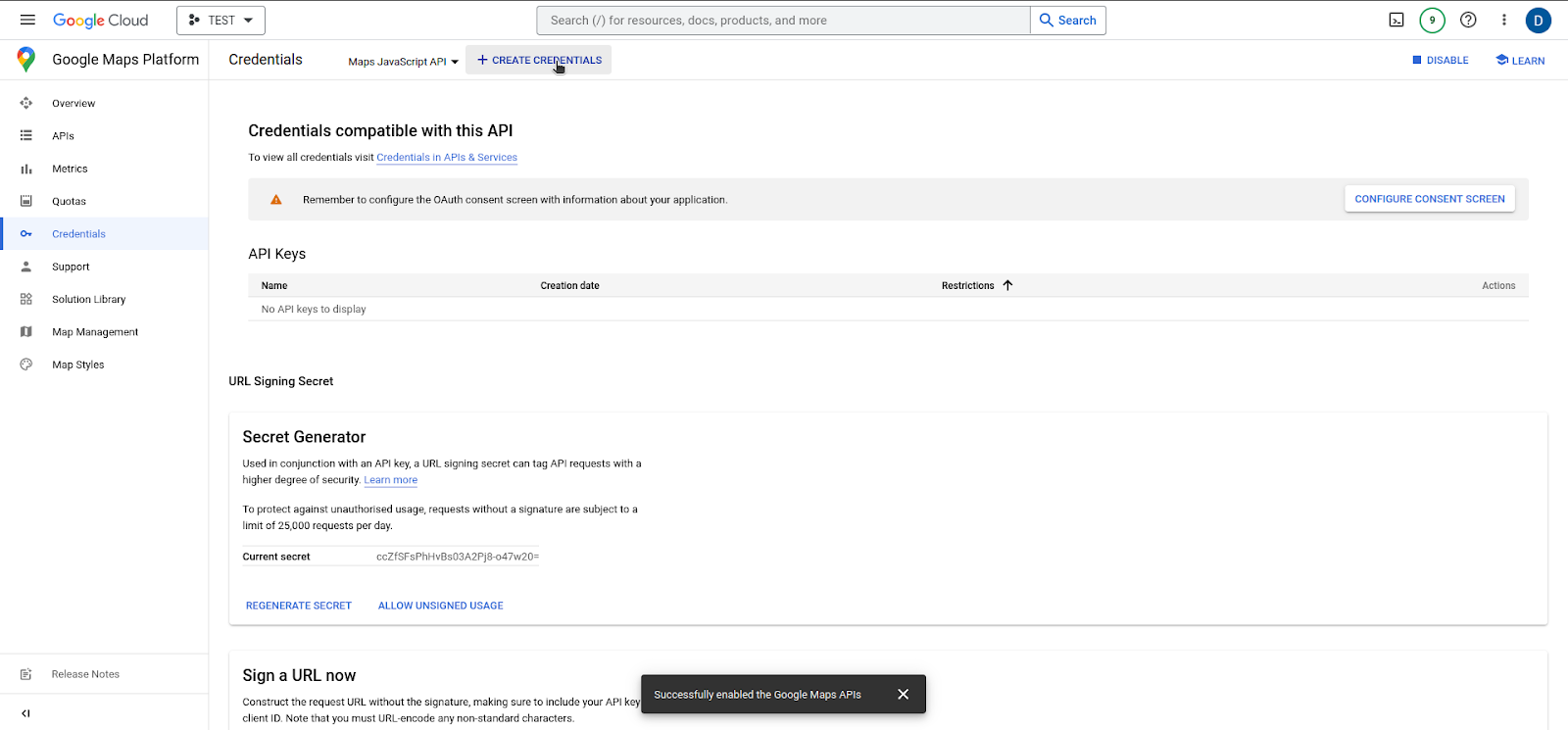
Make sure ‘Maps Javascript API is selected next to ’Click Create Credentials’ Button
-
Click Create Credentials and Select API
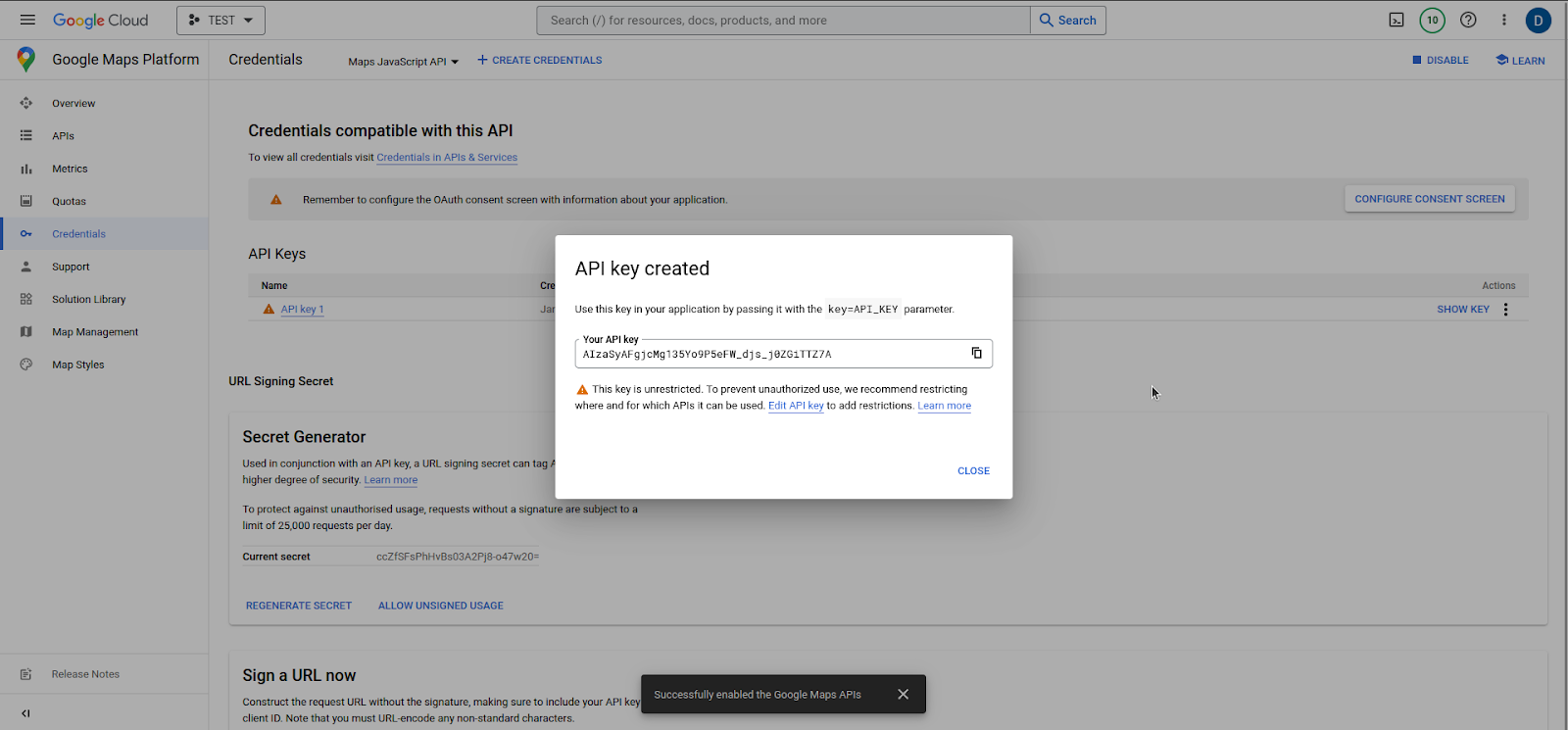
- Copy API Code and Provide to Identity Team